![MainBrand_RGB_Icon_Red.jpg]](https://knowledge.balancedcomp.com/hs-fs/hubfs/MainBrand_RGB_Icon_Red.jpg?width=40&height=40&name=MainBrand_RGB_Icon_Red.jpg)
- Only company Administrators can turn on this feature.
- Employee ratings must be entered prior to the supervisor submitting the review for Final Approval. This requires clear training and communication to supervisors.
The Employee Self-Rating feature is off by default in BalancedResults and is completely optional. When enabled, supervisors are still required to enter ratings, while employees gain the option to enter self-ratings; employee participation does not become required. The intent of Employee self-ratings is to offer additional insight and promote professional self-reflection.
How to Turn Self-Rating On or Off
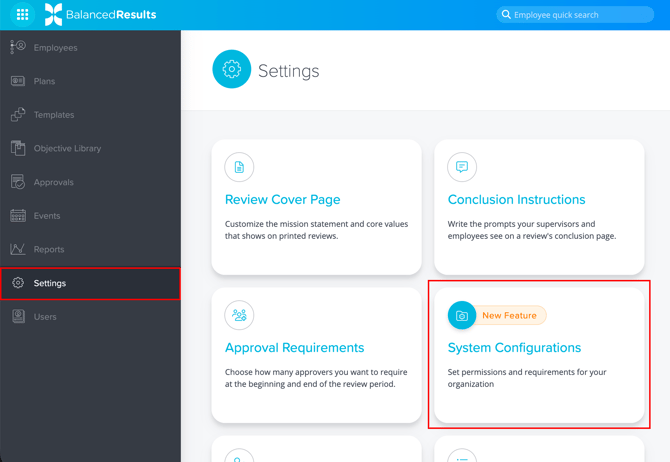
- Click on Settings in the main nav, then select the System Configurations card.
- Scroll to the Permissions section. Then, toggle Allow employees to self-rate to ON or OFF as needed.
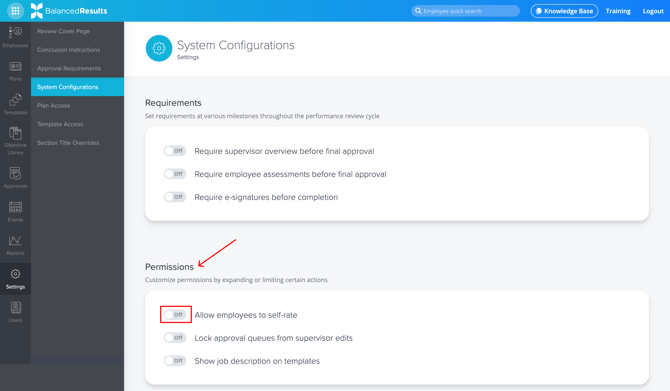
Note: Only company Admins can update this setting.
How Self-Ratings Work
Employees can score themselves, but:
- Their ratings must be submitted prior to the supervisor submitting the review for Final Approval, as the review becomes completely locked from all edits at that juncture.
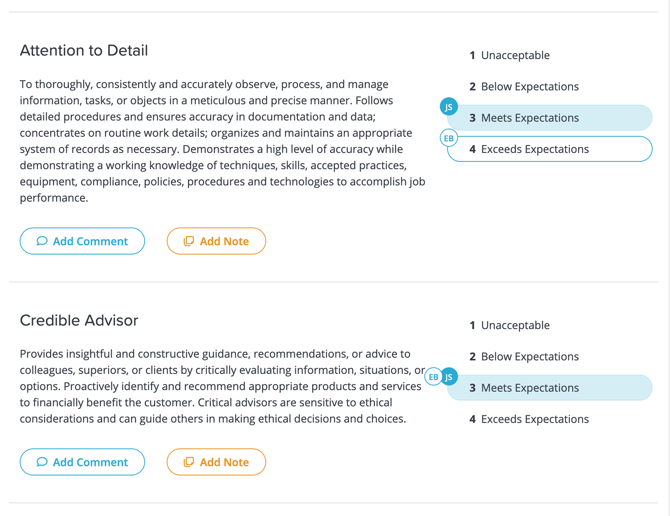
- Supervisors can see Employee ratings the moment they are entered. The ratings selected by the Supervisor and Employee are labeled with their initials, as shown below:
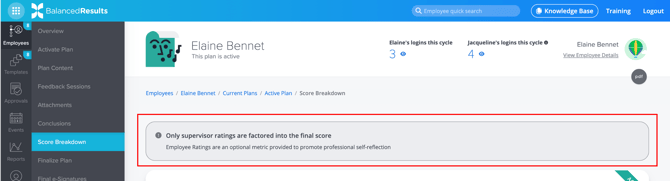
- An employee’s ratings do not affect their final performance score.
- This is clearly noted in the Score Breakdown section of each plan:
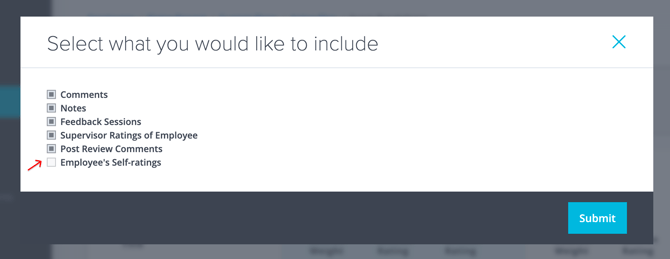
- Both Supervisor and Employee scores appear on the final report, however the Employee scores can be excluded from PDF or printed versions if desired. To exclude those, do not select the “Employee Self-ratings” option on the modal that appears before clicking Submit.