![MainBrand_RGB_Icon_Red.jpg]](https://knowledge.balancedcomp.com/hs-fs/hubfs/MainBrand_RGB_Icon_Red.jpg?width=40&height=40&name=MainBrand_RGB_Icon_Red.jpg)
This only becomes available once the feedback session date is within 2 weeks of the present.
Step 1
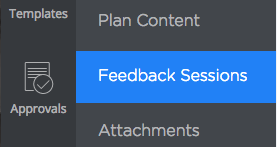
From inside the plan, click Feedback Sessions in the subnav:
Step 2
Click Add Initials underneath your name:

Step 3
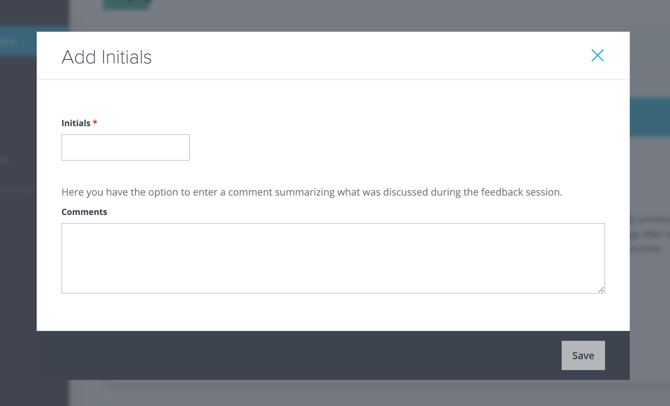
This will open up a dialog box, where you can enter your initials and an optional comment. When you are done, click Save:
You will be able to edit your initials and comment (until the review is submitted for final approval at the end of the year, which locks everything) by using the pencil icon next to your initials:

The system will send reminder emails to the supervisor regarding feedback sessions:
- 2 weeks before it's due
- 1 week before
- 1 day before
- 1 day after
- 1 week after
Both the supervisor and the employee will have to log in separately and enter their initials to stop the reminder emails.