![MainBrand_RGB_Icon_Red.jpg]](https://knowledge.balancedcomp.com/hs-fs/hubfs/MainBrand_RGB_Icon_Red.jpg?width=40&height=40&name=MainBrand_RGB_Icon_Red.jpg)
What Is A Geographic Wage Differential (Geo)?
A geographical wage differential (also called a geographic pay differential or location-based pay differential) is the difference in compensation paid for similar or identical jobs depending on where the work is performed.
In simple terms, it means two employees doing the same role might earn different salaries purely because one works in a high-cost or high-demand area (e.g., New York City or San Francisco) while the other works in a lower-cost or lower-demand area (e.g., a mid-sized city in the Midwest).
Each location has a different geo applied to its non-exempt, exempt, and executive positions. This is due to differences in supply and demand in the labor market. Non-exempt positions tend to draw from a highly localized labor market, whereas exempt and executive positions can attract candidates from a broader region.
Keep in mind that organizations outside your local market are often willing to recruit talent for exempt and executive positions and to allow them to work remotely.
How Do I Find Geos In BalancedComp?
Geo information can be found in three different areas of your BalancedComp system:
Branches
- Click Settings in the main nav.
- Click the Branches card.
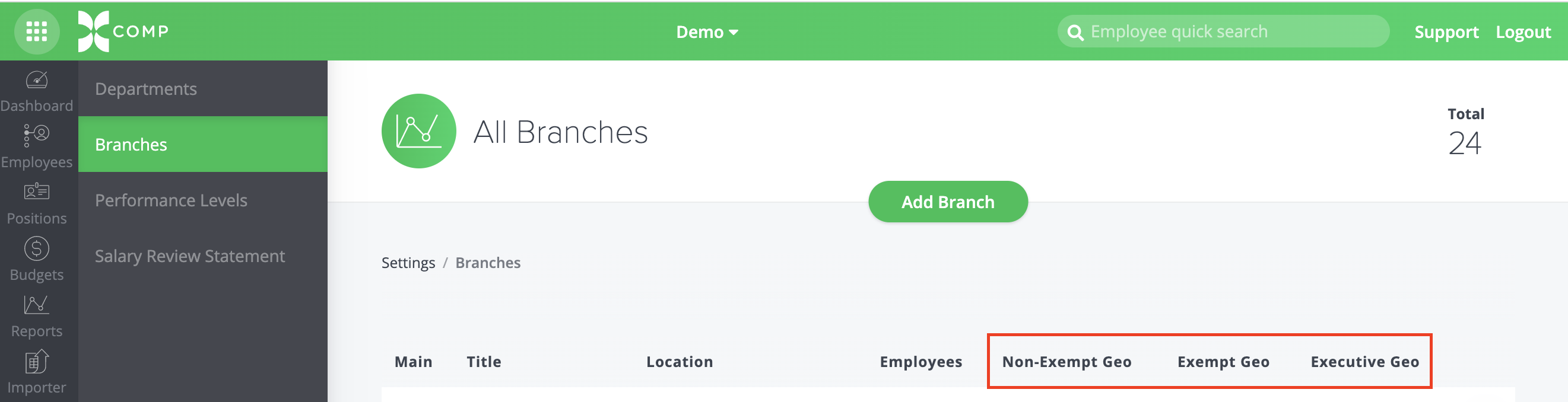
- The Non-Exempt, Exempt and Executive geo information will be displayed on the next screen for each of your branch locations.
Salary Ranges Report
- Click Reports in the main nav.
- Click Salary Ranges in the subnav.
- Click the All Salary Ranges card.
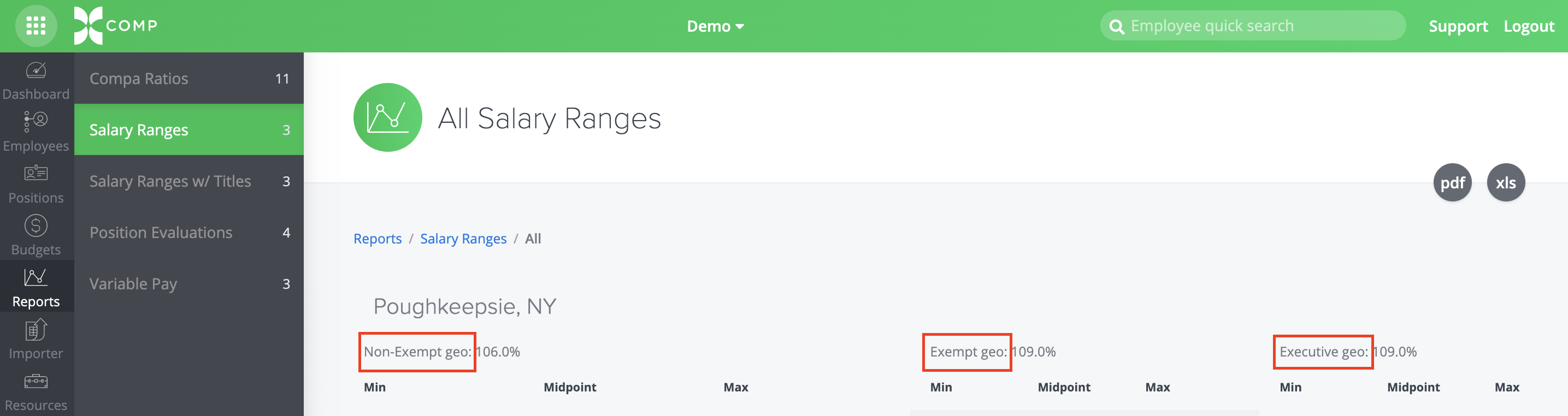
- The Non-Exempt, Exempt and Executive geo information will be displayed above the minimum, midpoint and maximum salary ranges for each of your grade levels.
Salary Ranges w/Titles
- Click Reports in the main nav.
- Click Salary Ranges w/Titles in the subnav.
- Click the All Salary Ranges card.
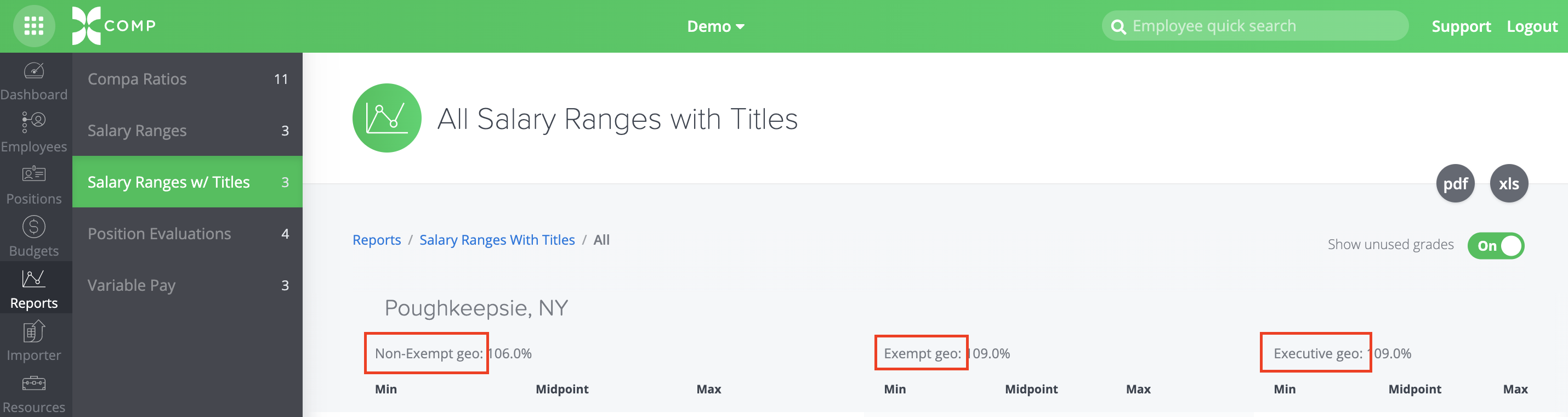
- The Non-Exempt, Exempt and Executive geo information will be displayed above the minimum, midpoint and maximum salary ranges for each of your grade levels. In addition, you will see the Positions listed for each grade in your system, providing additional information for comparison.